Build Your Retail Calendar Around These Dates
At the beginning of every year, retailers start planning their sales and marketing campaigns around important dates and

No one handles user permissions better than Dynamic Inventory. We built a user permissions interface with security, simplicity and accountability in mind.
No one handles user permissions better than Dynamic Inventory. We built a user permissions interface with security, simplicity and accountability in mind. Never worry what a user has access to, and what they can and cannot do ever again. Unlike other inventory management systems, Dynamic Inventory does not allow you to delete a user once added. Instead, you can mark a user “inactive,” thereby taking away their access while maintaining an accurate history for research, tracking or future auditing purposes. Add users in seconds along with a photo of that user, if you would like. Have a user that has been promoted or transferred? No problem! Changing an employee’s role, their department or their access level is easier and faster than adding them. Password resets can be done quickly and within any rules or protocols your company has in place. Make any user “Inactive” with a simple click. With User Permissions by Dynamic Inventory, all your users will only see what you want them to see. This is a feature that comes right out the box. Other inventory management software suites either do not have this level of user permission access or charge exorbitant hourly fees to customize these options.
Managing which users should have access to particular modules or screens within a software system starts with grouping users together via job functions. After similar users are identified within the application, the next step is to configure whether these grouped users should be able to create, update or delete certain objects. Finally, there might be one-off users who need more control or less control depending on their specific responsibilities. For example, a super admin might need access to every right, including non-standard ones. On the other hand, an assistant or third party user should not have access to mission critical data, so they should be restricted more than the normal role.
People within an organization who have access to the system. In Dynamic Inventory, we group users with similar job duties under an umbrella called Teams.
Positions within an organization that have similar, if not exactly the same, duties and responsibilities. We have an admin, user and consignor role in our system.
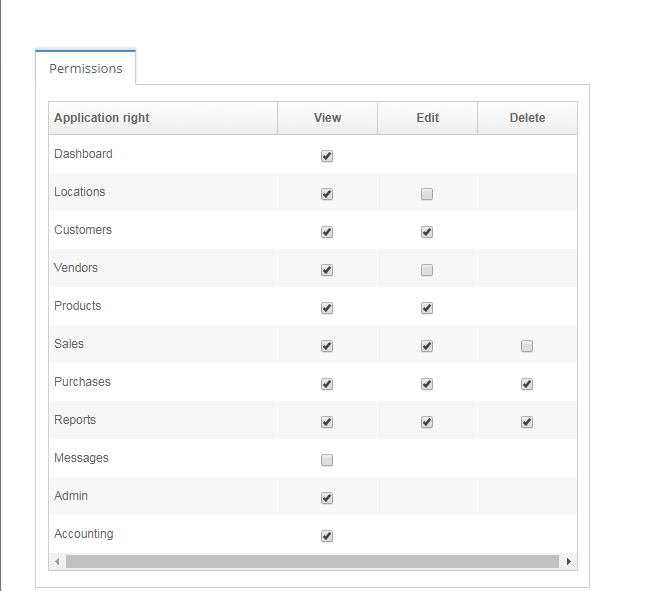
The actions a user would take to affect an object within the system. View/Edit/Delete are common actions that can be found across all modules in our software.
Enable your users to become experts on the various modules within the system.
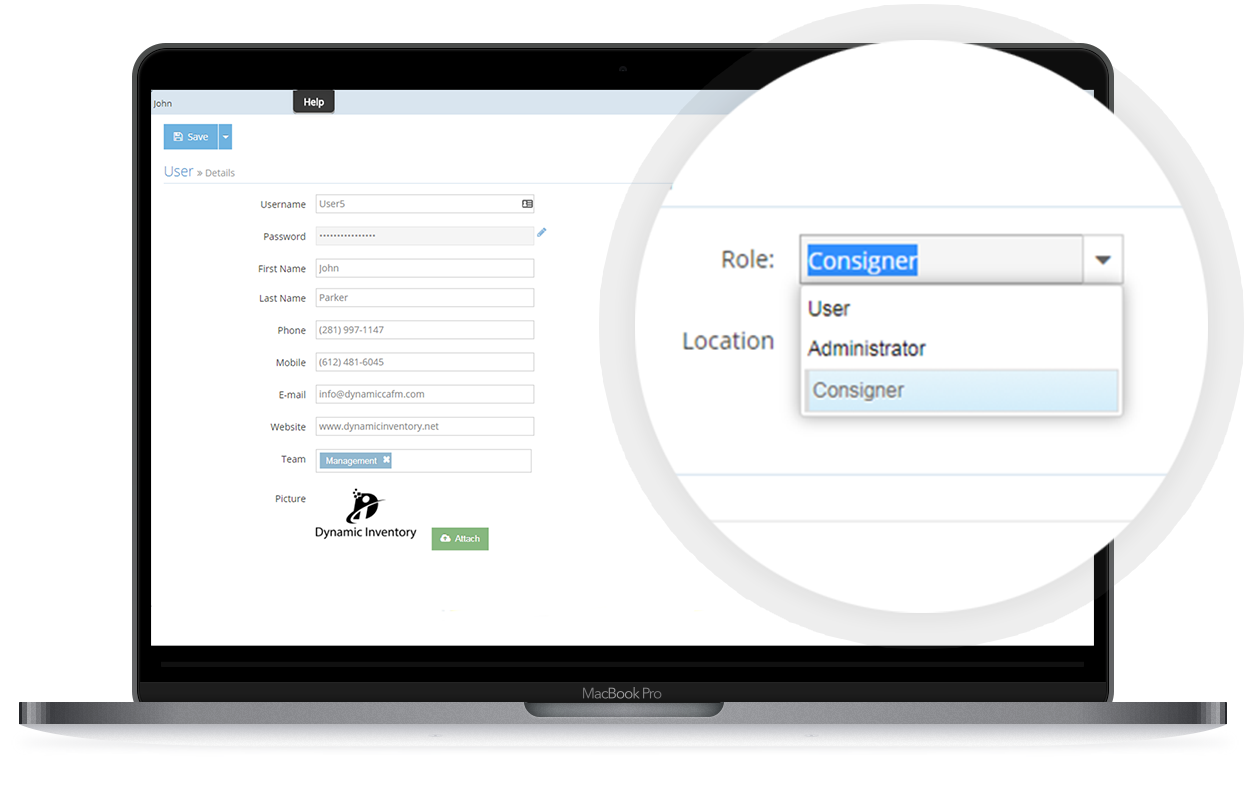
Assign roles to any user from administrator, standard user or consignor. Each role includes a default feature set with the functions exclusive to that user’s operations.
Add specific permissions to your users. This gives your administrator the granular level of control other inventory management software seems to lack.
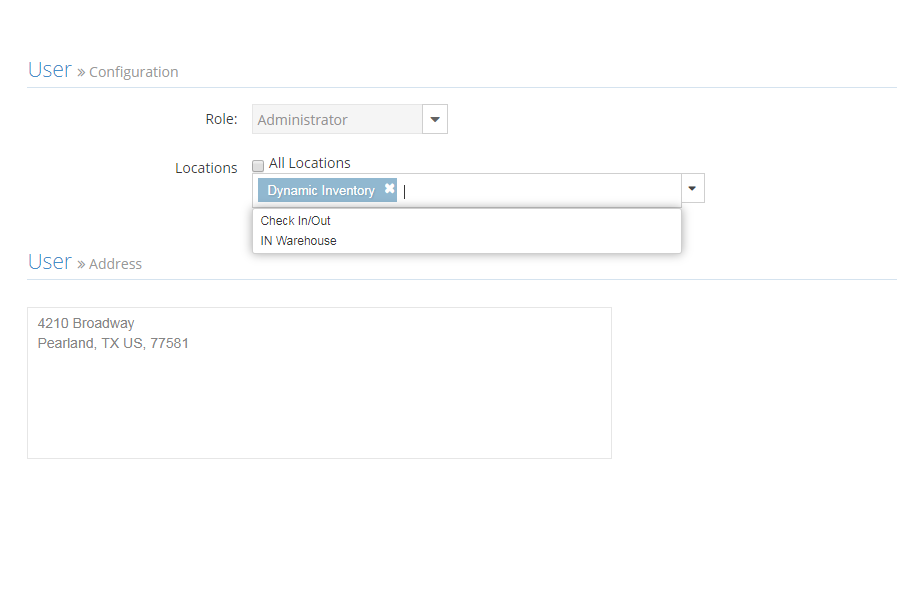
Control the access level even more by selecting the stores/warehouse locations your users are associated with. Prevent users from viewing data from other locations they have no involvement with.
Kick permissions to the curb altogether with the admin role, or choose a responsible team member to take ownership over permissions and assign them accordingly as the admin.
Learn how Dynamic Inventory can streamline your business today!
Within software systems, a user profile typically consists of an avatar and personal information about the user. Often, users are able to reset their passwords via the profile screen. User account security can also be controlled by an admin, but a general rule of thumb is to never store passwords as plain text. This is why you typically see a series of stars, dots or empty sets for the password field. Have you ever lost your password to login, and then asked your IT administrators if they can tell you what your password is? You might have been shocked to realize they don’t know your password. A good identity access management solution requires a password reset be initiated with some type of user authorization to regain access. User preferences, settings and admin tools are other common functions found on the user profile screen. Users can control their experience throughout the system without the help of an admin. In Dynamic Inventory, we have a way for users to communicate with other users of the same team via internal messaging. We’ve also enriched the user profile with an attachments section for storing important documents/images that are relevant to one’s job.
Default Roles Assign people with access to one of the various roles within the system including user, consignor and administrator.
Teams Assign users to one or more teams, and control who is allowed to message one another.
Store Restrictions Add one or more stores to a user to manipulate the products, stock levels, sales and purchases they are able to update.
View/Edit/Delete Complete control over viewing, editing and deleting within all major modules including stores, products, customers, vendors, sales and purchases.
Active/Inactive Locate all users within seconds, and deactivate/activate users with one click to take control over user security.
Order Print Outs Print or Email sales quotes, sales orders, pick lists, packing slips, invoices, and receipts.
Sales Reports View/sort/filter on sales by product, sales summary, and lot sales reports. All reports can be printed, emailed, or exported to Excel.
Learn how Dynamic Inventory can streamline your business today!

At the beginning of every year, retailers start planning their sales and marketing campaigns around important dates and

Coca-Cola is the most popular soft drink in the world. It’s sold almost everywhere, and its brand name

Dell entered the market in 1985, and evolved from a small, dorm-room based company in Texas to one